_EN_R-1+.png)
_NP_R-1+.png)
_EN_R-1+.png)
_BD_R-1+.png)
_EN_R-2+.png)
_NP_R-2+.png)
_EN_R-2+.png)
_BD_R-2+.png)
_EN_R-3+.png)
_NP_R-3+.png)
_EN_R-3+.png)
_BD_R-3+.png)
_EN_R-4+.png)
_NP_R-4+.png)
_EN_R-4+.png)
_BD_R-4+.png)
_EN_R-5+.png)
_NP_R-5+.png)
_EN_R-5+.png)
_BD_R-5+.png)
_EN_FP-1+.png)
_NP_FP-1+.png)
_EN_FP-1+.png)
_BD_FP-1+.png)
_EN_FP-2+.png)
_NP_FP-2+.png)
_EN_FP-2+.png)
_BD_FP-2+.png)
_EN_FP-3+.png)
_NP_FP-3+.png)
_EN_FP-3+.png)
_BD_FP-3+.png)
_EN_FP-4+.png)
_NP_FP-4+.png)
_EN_FP-4+.png)
_BD_FP-4+.png)
_EN_FP-5+.png)
_NP_FP-5+.png)
_EN_FP-5+.png)
_BD_FP-5+.png)
_EN_D-1+.png)
_NP_D-1+.png)
_EN_D-1+.png)
_BD_D-1+.png)
_EN_D-2+.png)
_NP_D-2+.png)
_EN_D-2+.png)
_BD_D-2+.png)
_EN_D-3+.png)
_NP_D-3+.png)
_EN_D-3+.png)
_BD_D-3+.png)
_EN_D-4+.png)
_NP_D-4+.png)
_EN_D-4+.png)
_BD_D-4+.png)
_EN_D-5+.png)
_BD_D-5+.png)
_EN_W-1+.png)
_NP_W-1+.png)
_EN_W-1+.png)
_BD_W-1+.png)
_EN_W-2+.png)
_NP_W-2+.png)
_EN_W-2+.png)
_BD_W-2+.png)
_EN_W-3+.png)
_NP_W-3+.png)
_EN_W-3+.png)
_BD_W-3+.png)
_EN_W-4+.png)
_NP_W-4+.png)
_EN_W-4+.png)
_BD_W-4+.png)
_EN_B-1+.png)
_NP_B-1+.png)
_EN_B-1+.png)
_BD_B-1+.png)
_EN_B-2+.png)
_NP_B-2+.png)
_EN_B-2+.png)
_BD_B-2+.png)
_EN_B-3+.png)
_NP_B-3+.png)
_EN_B-3+.png)
_BD_B-3+.png)
_EN_B-4+.png)
_NP_B-4+.png)
_EN_B-4+.png)
_BD_B-4+.png)
_EN_B-5+.png)
_NP_B-5+.png)
_EN_B-5+.png)
_BD_B-5+.png)
Friend Referral
_EN_Re-1+.png)
_NP_Re-1+.png)
_EN_Re-1+.png)
_BD_Re-1+.png)
_EN_Re-2+.png)
_NP_Re-2+.png)
_EN_Re-2+.png)
_BD_Re-2+.png)
Claim Referral Bonus
_EN_Ref-1+.png)
_NP_Ref-1+.png)
_EN_Ref-1+.png)
_BD_Ref-1+.png)
_EN_Ref-2+.png)
_NP_Ref-2+.png)
_EN_Ref-2+.png)
_BD_Ref-2+.png)
_EN_Ref-3+.png)
_NP_Ref-3+.png)
_EN_Ref-3+.png)
_BD_Ref-3+.png)
View Referral Progress
_EN_Refs-1+.png)
_NP_Refs-1+.png)
_EN_Refs-1+.png)
_BD_Refs-1+.png)
_EN_Refs-2+.png)
_NP_Refs-2+.png)
_EN_Refs-2+.png)
_BD_Refs-2+.png)
_EN_K-1+.png)
_NP_K-1+.png)
_EN_K-1+.png)
_BD_K-1+.png)
_EN_K-2+.png)
_NP_K-2+.png)
_EN_K-2+.png)
_BD_K-2+.png)
_EN_K-3+.png)
_NP_K-3+.png)
_EN_K-3+.png)
_BD_K-3+.png)
_EN_K-4+.png)
_NP_K-4+.png)
_EN_K-4+.png)
_BD_K-4+.png)
_EN_K-5+.png)
_NP_K-5+.png)
_EN_K-5+.png)
_BD_K-5+.png)
_EN_DA-1+.png)
_NP_DA-1+.png)
_EN_DA-1+.png)
_BD_DA-1+.png)
_EN_DA-2+.png)
_NP_DA-2+.png)
_EN_DA-2+.png)
_BD_DA-2+.png)
_EN_DA-3+.png)
_NP_DA-3+.png)
_EN_DA-3+.png)
_BD_DA-3+.png)
_EN_DA-4+.png)
_NP_DA-4+.png)
_EN_DA-4+.png)
_BD_DA-4+.png)
_EN_DAI-1+.png)
_NP_DAI-1+.png)
_EN_DAI-1+.png)
_BD_DAI-1+.png)
_EN_DAI-2+.jpg)
_NP_DAI-2+.jpg)
_EN_DAI-2+.jpg)
_BD_DAI-2+.jpg)
Click Sign Up.
→ Fill in the registration information.
Password must be 6–20 characters long and include at least 1 uppercase letter, 1 lowercase letter, and 1 number.
→ Click Confirm.
→ Registration completed successfully.
See step-by-step tutorial
On the login page, click "Forgot Password"
→ enter your username and click NEXT
→ receive the 4-digit PIN code
→ click VERIFY
→ set a new password
See step-by-step tutorial
For security reasons, your registered phone number cannot be changed after registration.
This policy is in place to help protect your account from unauthorized access and ensure the security of all account activities.
We appreciate your understanding.
We're not able to delete accounts just yet, but no worries — your personal data is kept safe and sound, and we'll never share it or use it for anything else.
If you just need a little break, you don't have to do a thing — simply stop logging in for now. And whenever you're ready to jump back in, your account will be right here waiting for you!
Mobile version: Tap "Account" at the bottom right of the page to access the "SECURITY CENTER."
Desktop version: Simply click on your username in the top status bar to access the "SECURITY CENTER."
An account may be locked due to multiple incorrect password attempts, unusual login activity, or a violation of our terms of service.
Please try resetting your password first. If the issue persists, contact our customer support team with your account details for further assistance.
Hang on to a screenshot of your transaction and reach out to our support team — they'll sort it out.
Sharing your Username, Order ID, and Amount will help speed things up.
In most cases, deposits land within 5–15 minutes after confirmation, though in rare cases it may take up to 2–3 hours.
Available deposit methods and supported banks may be updated from time to time — check the website for the most current list.
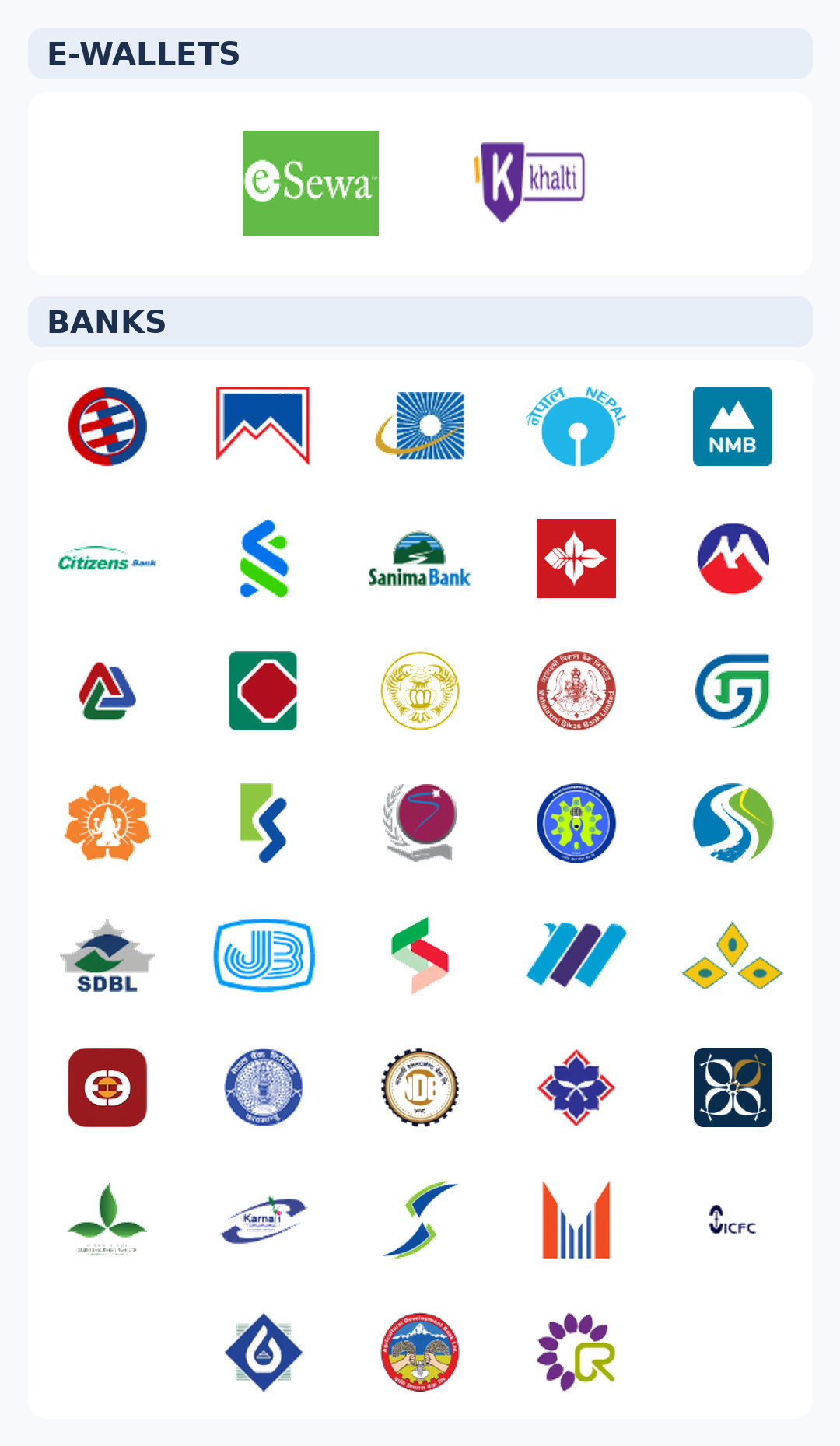
You can deposit anywhere from NPR 500 up to NPR 200,000 per transaction.
Most deposits land in your account within 5–15 minutes. On rare occasions it might take up to 2–3 hours, but rest easy — every transaction is fully secured.
Our platform does not charge any deposit fees.
Please note, however, that your bank or payment provider may apply their own transfer fees, which are beyond our control.
A few things that might cause this: not enough balance in your payment account, hitting a transaction limit, an expired or frozen card, a name mismatch, or a network hiccup. Double-check those and give it another go — or try a different payment method.
This usually happens when the name on your withdrawal account doesn't match your registered name, or if a bonus wagering requirement wasn't fully completed. Other possibilities include pending ID verification, exceeding limits, or unusual account activity.
We usually wrap up withdrawal reviews in 5–15 minutes. How quickly the funds hit your bank depends on their processing speed. Heads up: between 8 PM and 7 AM daily, withdrawals pause for the NCHL-IPS settlement — but your funds are safe and we'll process everything as soon as service resumes.
You can withdraw between NPR 1,000 and NPR 100,000 per transaction.
Our platform does not charge any withdrawal fees.
Please note, however, that your bank or payment provider may apply their own transfer fees, which are beyond our control.
Before making a withdrawal, you only need to complete your bank account details and verification.
If your withdrawal status is still "Pending," you can contact customer support to cancel it.
Once the status changes to "Processed" or "Completed," it can no longer be cancelled.
Please double-check your amount and account details before submitting a withdrawal.
Reviews typically take 5–15 minutes. If yours is taking longer, it could be an extra security check, a manual review for larger amounts, or ID documents that need a second look. Drop our support team a message and they'll check on it for you.
Welcome aboard! New members can enjoy a generous bonus on their first deposit, our way of giving you the best possible start.
This offer is valid for first-time deposits only. Please select your preferred bonus option (multiple options available) when making your first deposit.
Check the Promotions page for the latest offers →
Wagering Requirement refers to the total betting amount you must reach before your bonus can be converted into withdrawable balance.
For example: if a promotion requires a 10x wagering multiplier and you receive a 1,000 bonus, you must wager a total of "(Deposit Amount + 1,000) × 10" before you can withdraw.
Calculation: (Deposit Amount + Bonus Amount) × Wagering Multiplier = Total Amount to Wager
Please note: Wagering does not mean losing — as long as your bet is settled, it counts toward the wagering requirement regardless of win or loss.
Possible reasons include: violating the bonus terms and conditions, being detected as a multi-account user, having the bonus forfeited due to a withdrawal attempt before completing the wagering requirement, or placing bets on events or game types that do not count toward the wagering requirement.
1. Click "Account".
2. Click "Reward Center".
3. Click "View" in the "Bonus" section.
4. Click "Claim Now".
5. Click "OKAY" to claim the promotion successfully.
See step-by-step tutorial
Absolutely — we use 256-bit SSL encryption for all data transfers. Your personal and financial details are fully encrypted and never shared with anyone. Your privacy is our priority.
FW8 will never ask for your password, OTP, or banking details via SMS, email, or social media.
If you receive such messages, do not click any links. Official contact methods are listed in the platform's announcements and on this page.
No worries — let's troubleshoot:
1. Check your internet connection and try switching between Wi-Fi and mobile data.
2. Force close and reopen the app.
3. Clear the app cache (Settings → Apps → FW8 → Clear Cache).
4. Uninstall and reinstall the latest version of the app.
If the issue persists, please contact customer support.
See download tutorial
Here's how to clear things out:
Mobile Chrome: Tap the menu (⋮) in the top right → Settings → Privacy → Clear Browsing Data → Check "Cached images and files" and "Cookies" → Tap Clear.
iPhone Safari: Go to Settings → Safari → Clear History and Website Data.
You'll need to log back in afterward — that's normal!